What is OmniPeer?
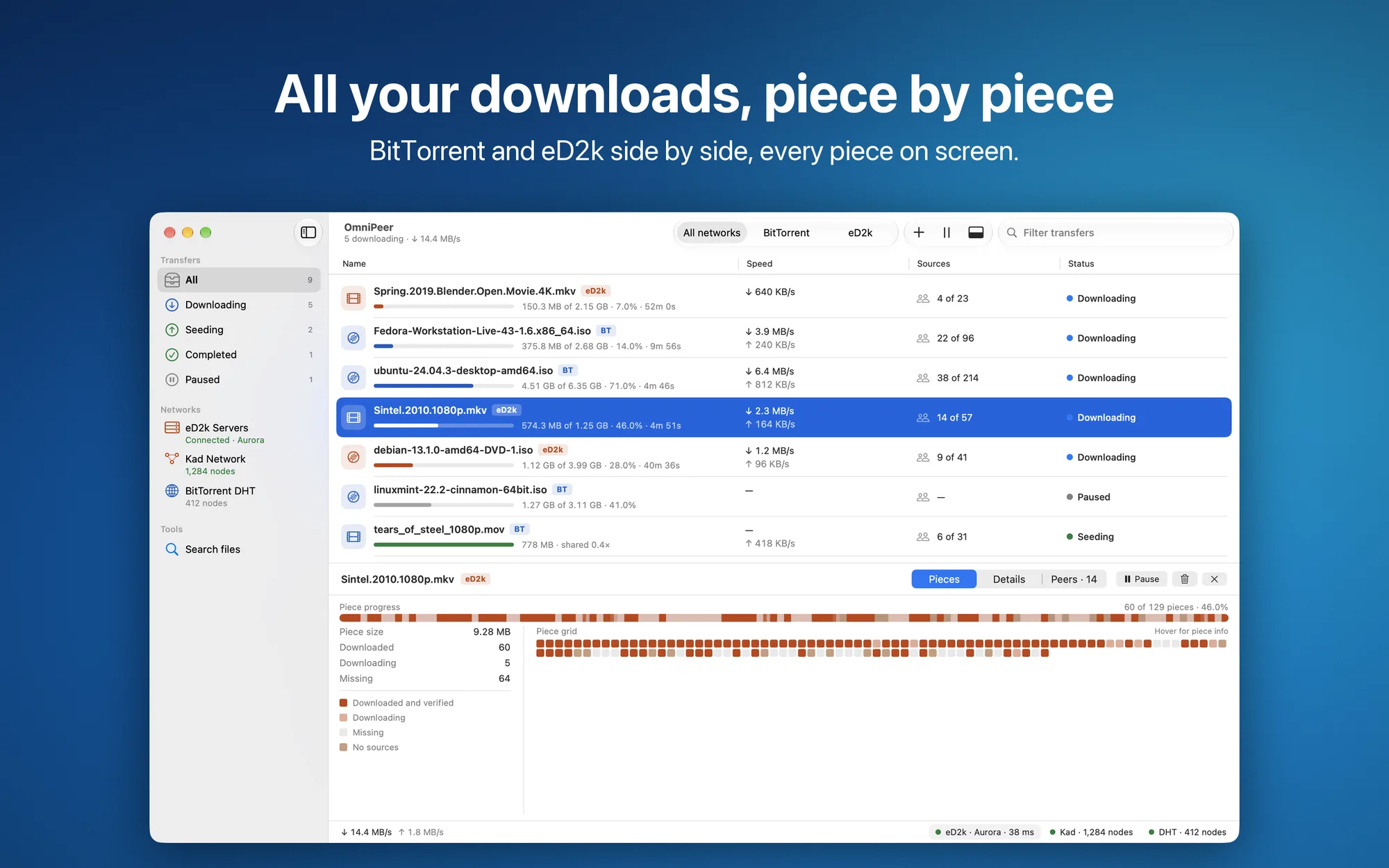
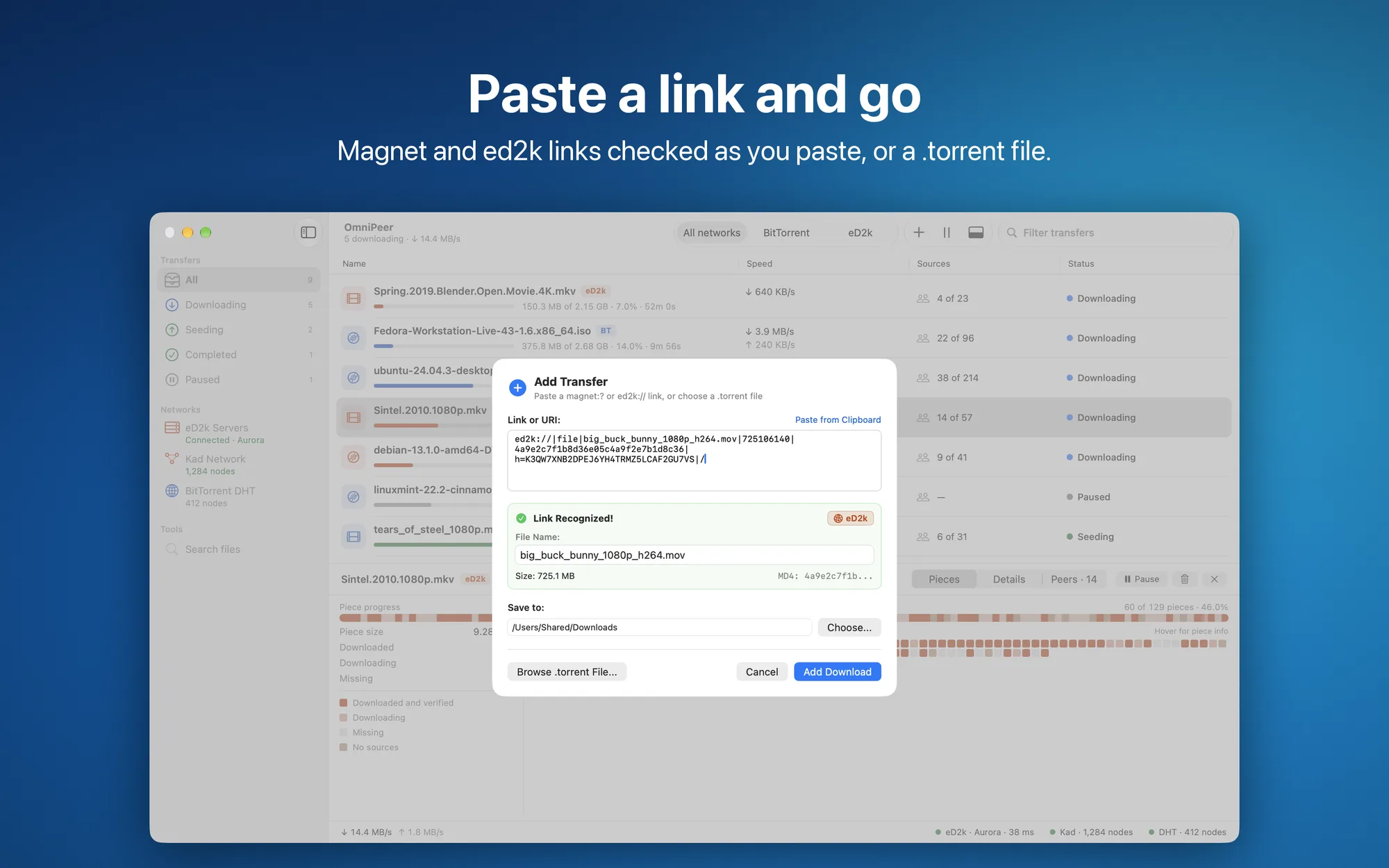
OmniPeer is a peer-to-peer client for Mac that brings the eD2k network (servers and Kad) and the BitTorrent network together in one window. Paste a magnet or ed2k link, or pick a .torrent file, and OmniPeer detects the network for you. You follow the download piece by piece on a block bar: downloaded, incoming, missing and source-less parts. The network work is done by a separate engine, omnipeerd, bundled with the app, which the interface talks to only on your Mac.
Key Features
- One link, any network: magnet links, ed2k links and
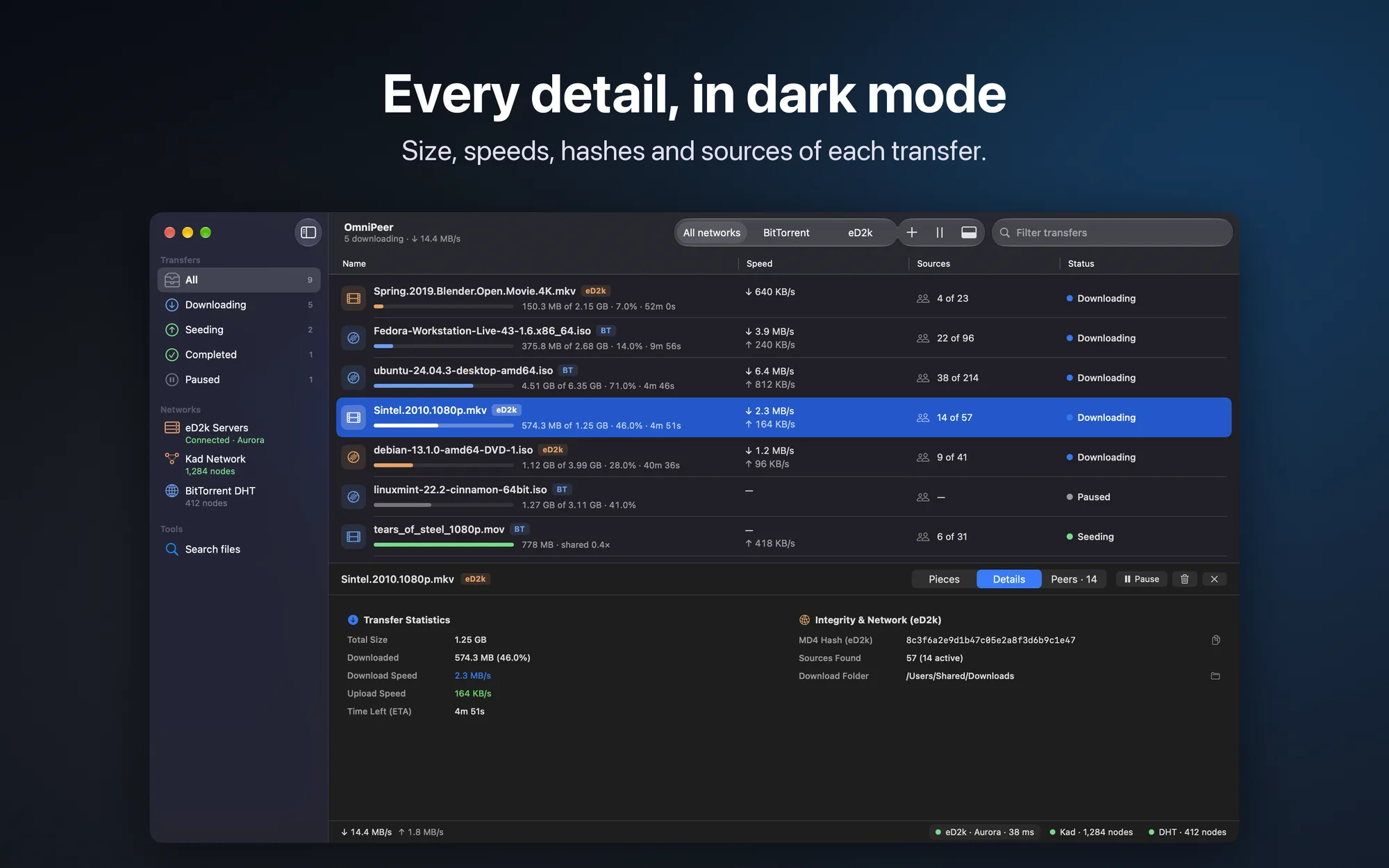
.torrentfiles, detected automatically; links opened in the browser go straight to the app,.torrentfiles can be dropped on the window, and if there’s a link on the clipboard OmniPeer offers it - Block bar: in each transfer’s details, the completed, incoming and missing pieces, and the ones no source has
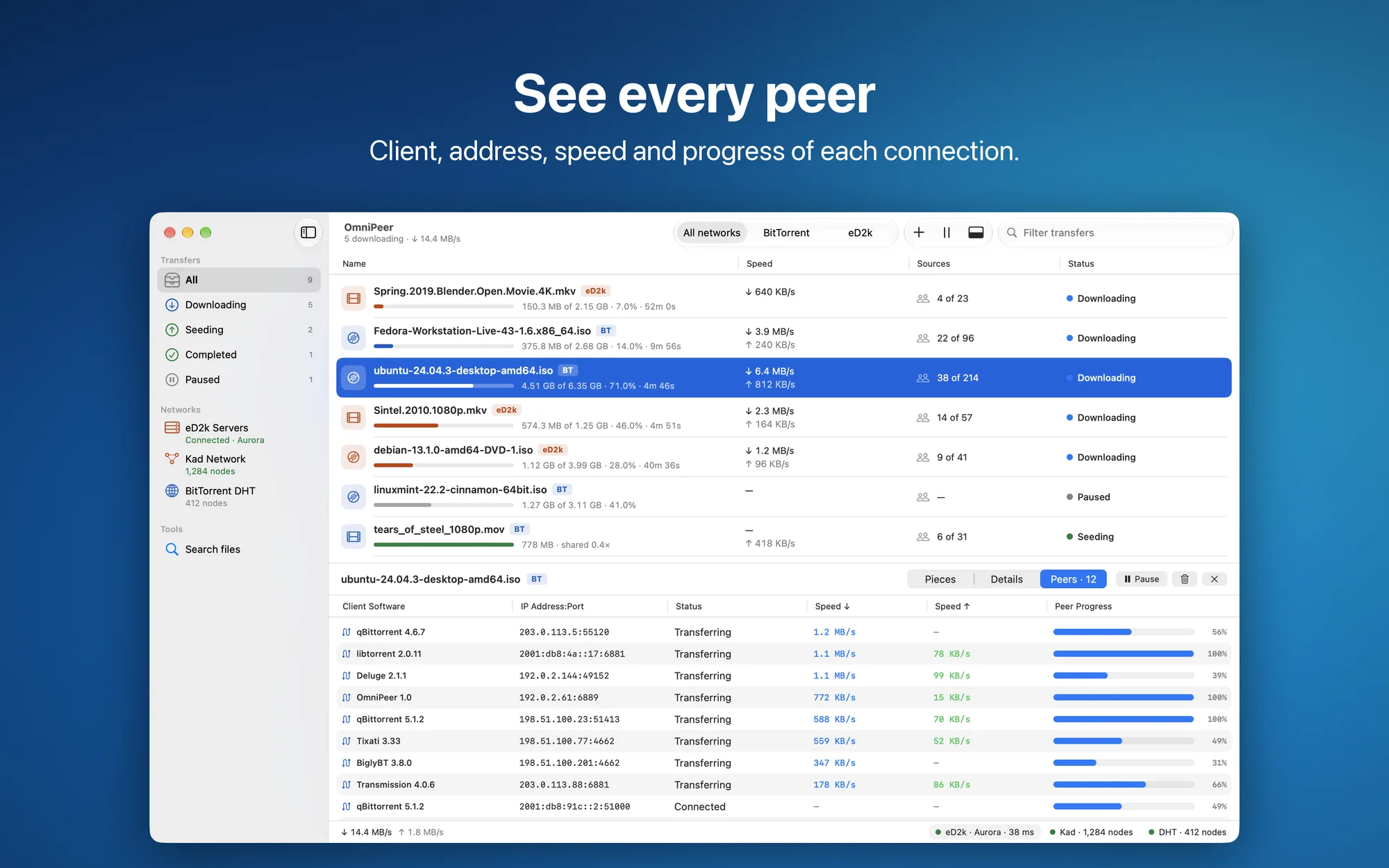
- Transfer details: a grid of every piece, statistics, connected peers with their client and speed; for eD2k, the MD4 and AICH hashes, ready to copy with one click
- A tidy list: sections by status (downloading, seeding, completed, paused), a network filter, pause and resume one or all transfers
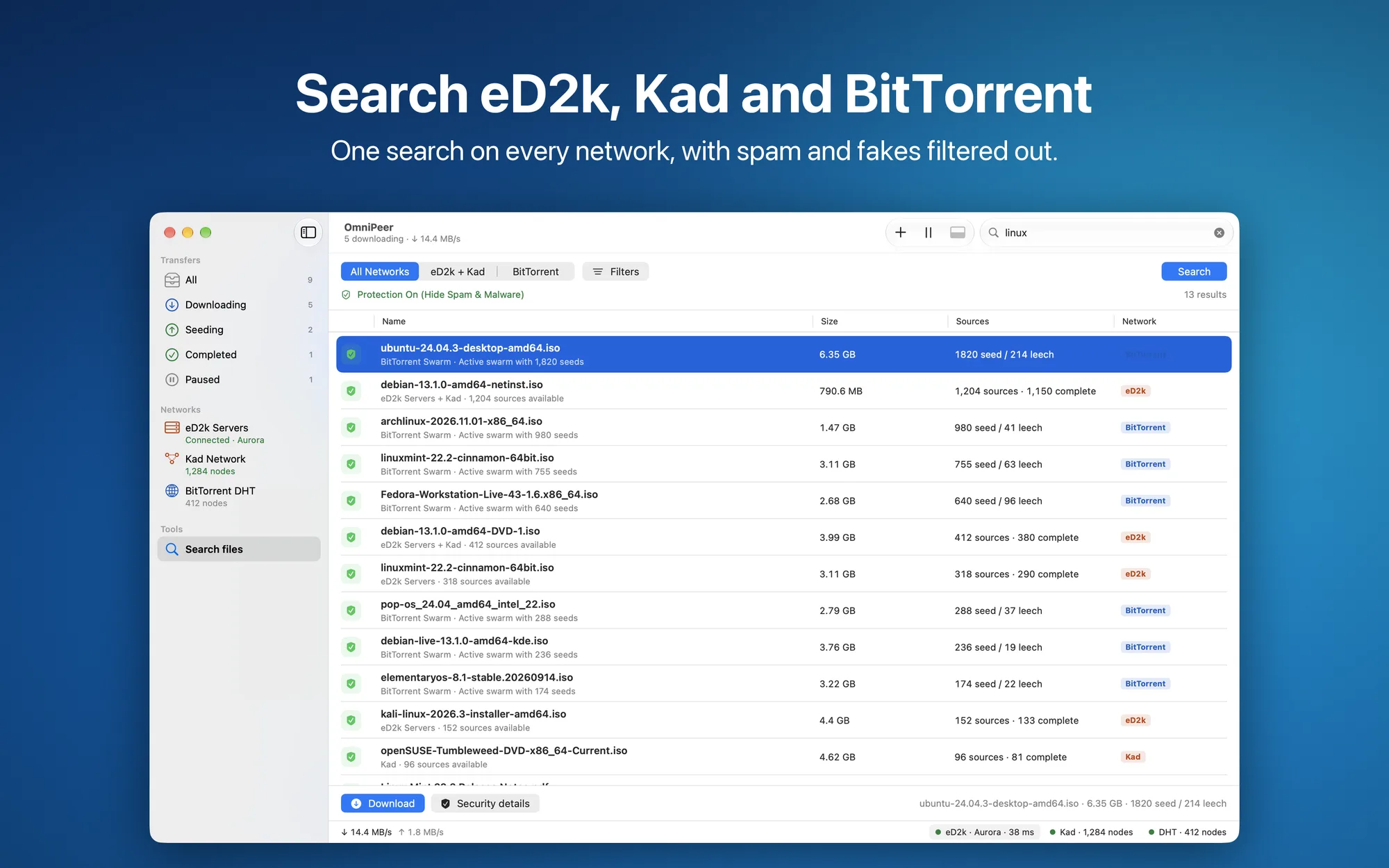
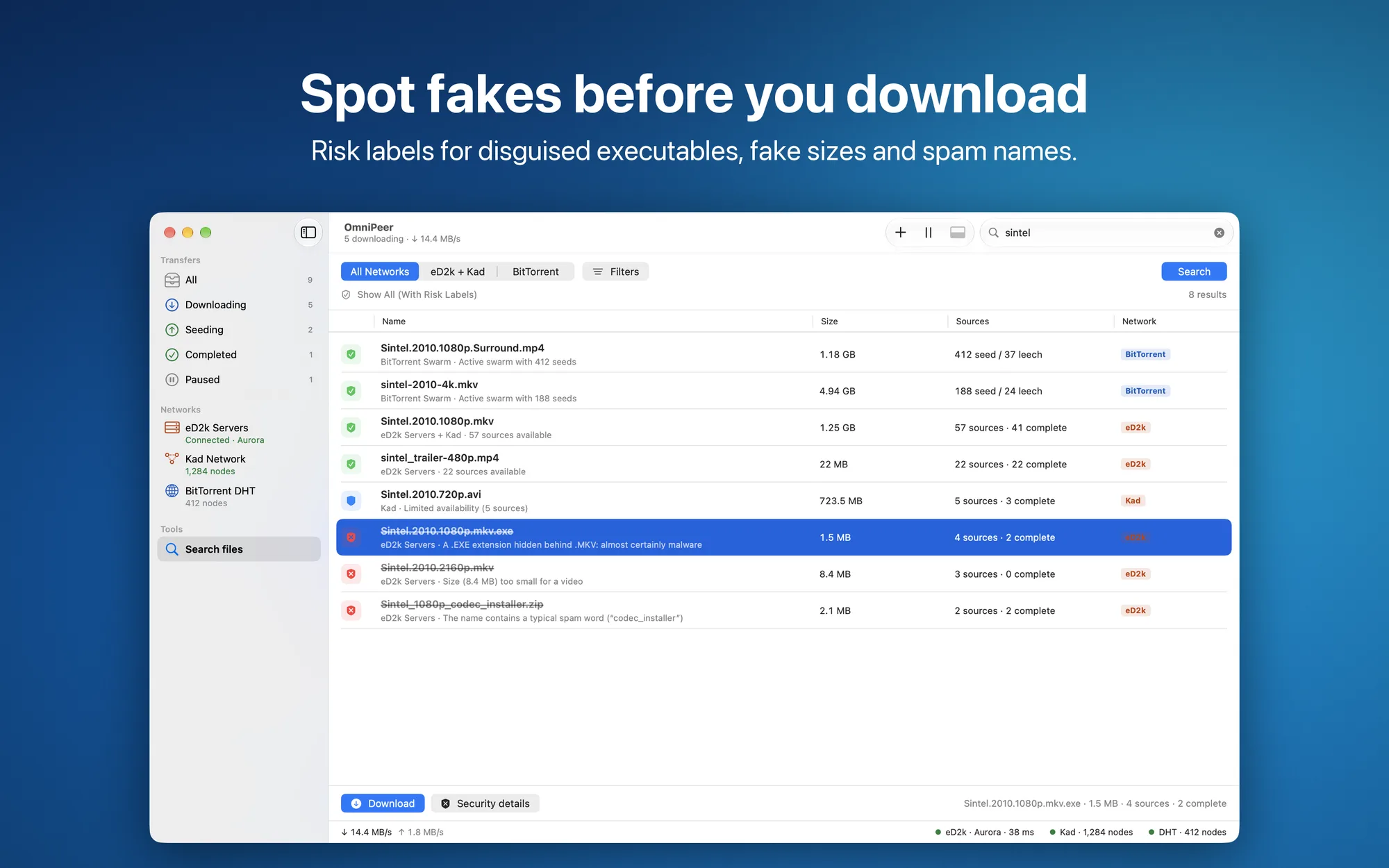
- Search across networks: one field searches eD2k servers, Kad and BitTorrent, with filters for type, size and number of sources
- Anti-spam filter: hides results with signs of fake or dangerous files (double extensions, executables with video names, videos that are too small) or shows them with a risk label
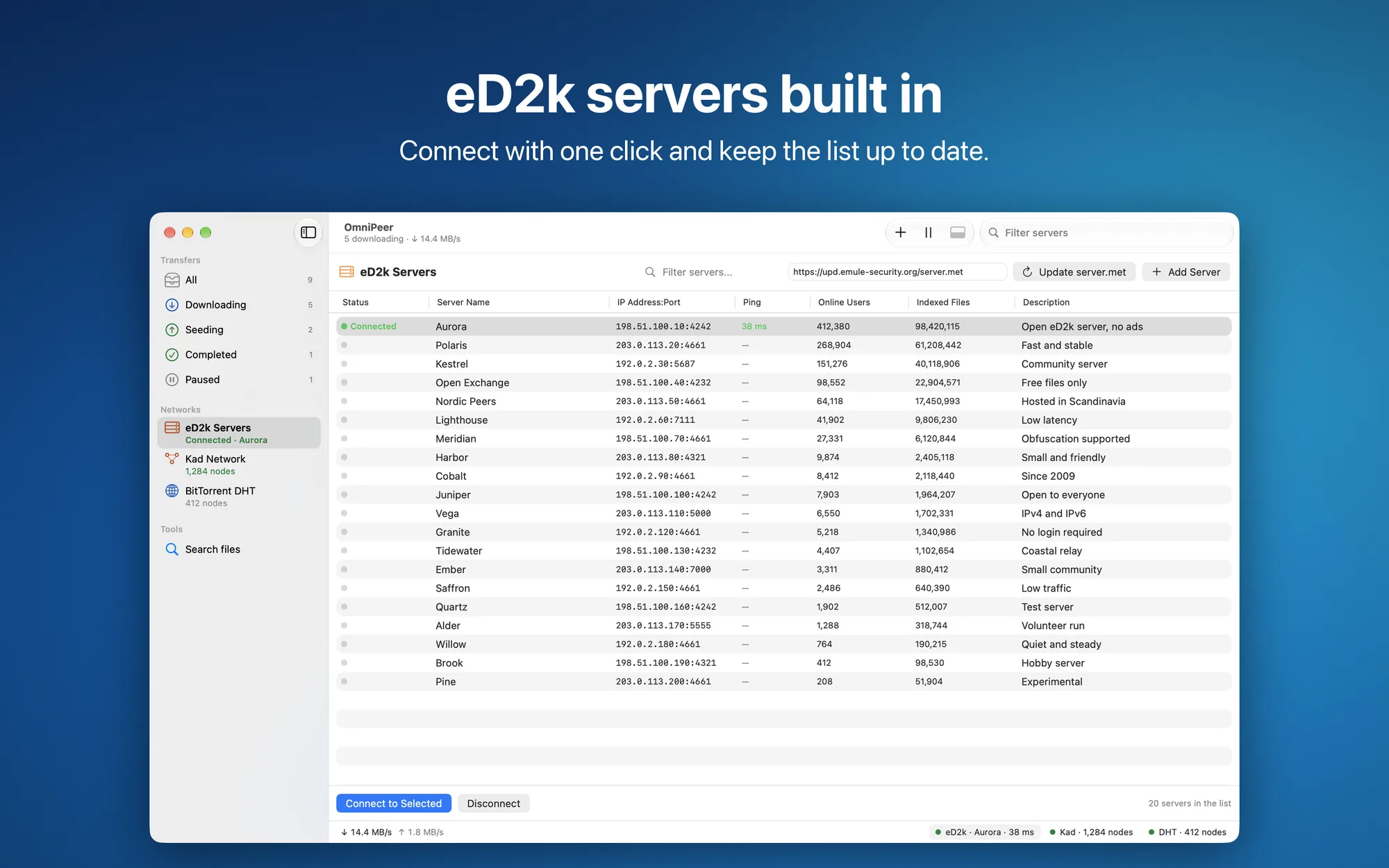
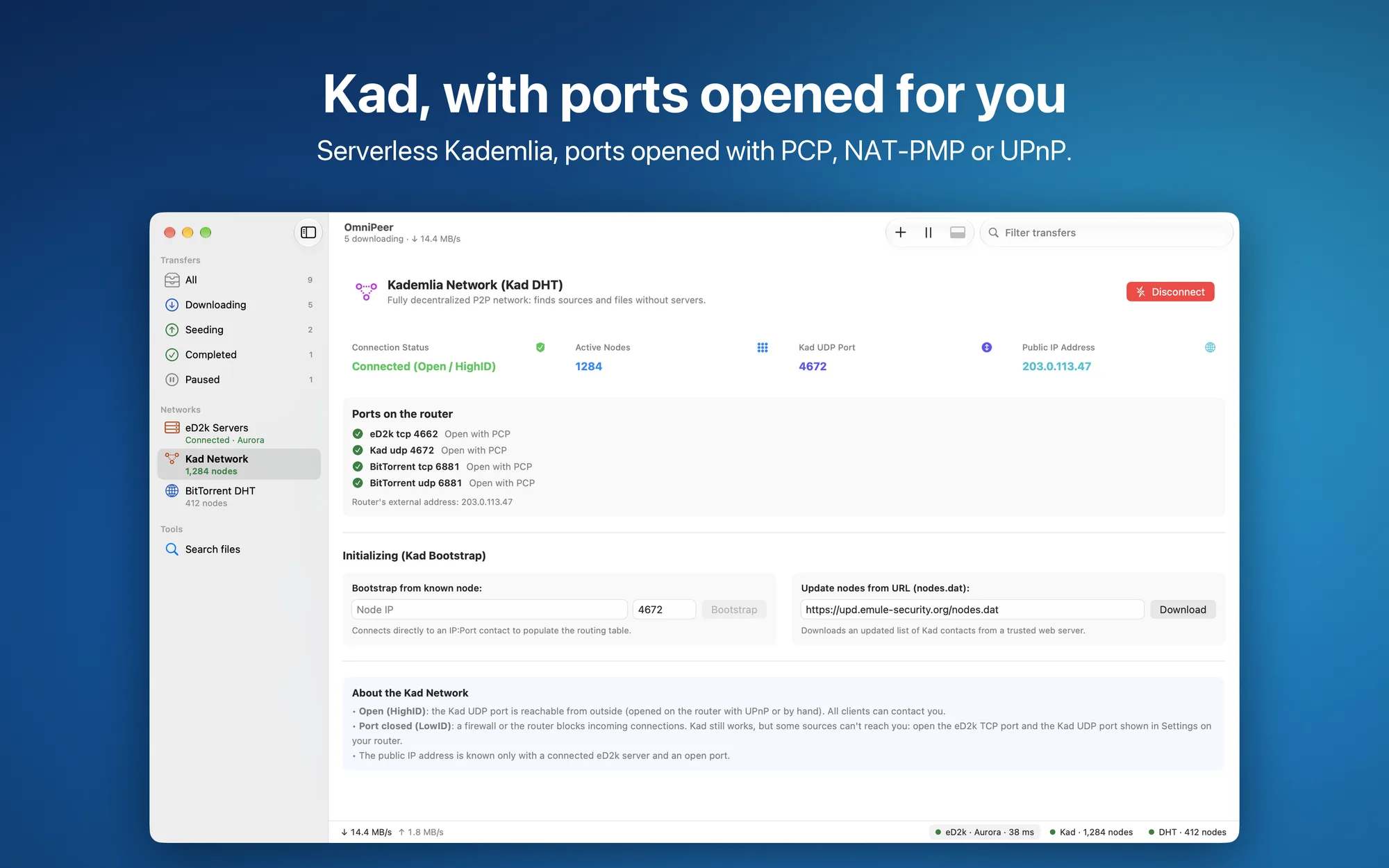
- eD2k servers and the Kad network: a server list with ping, users and indexed files, updated from a
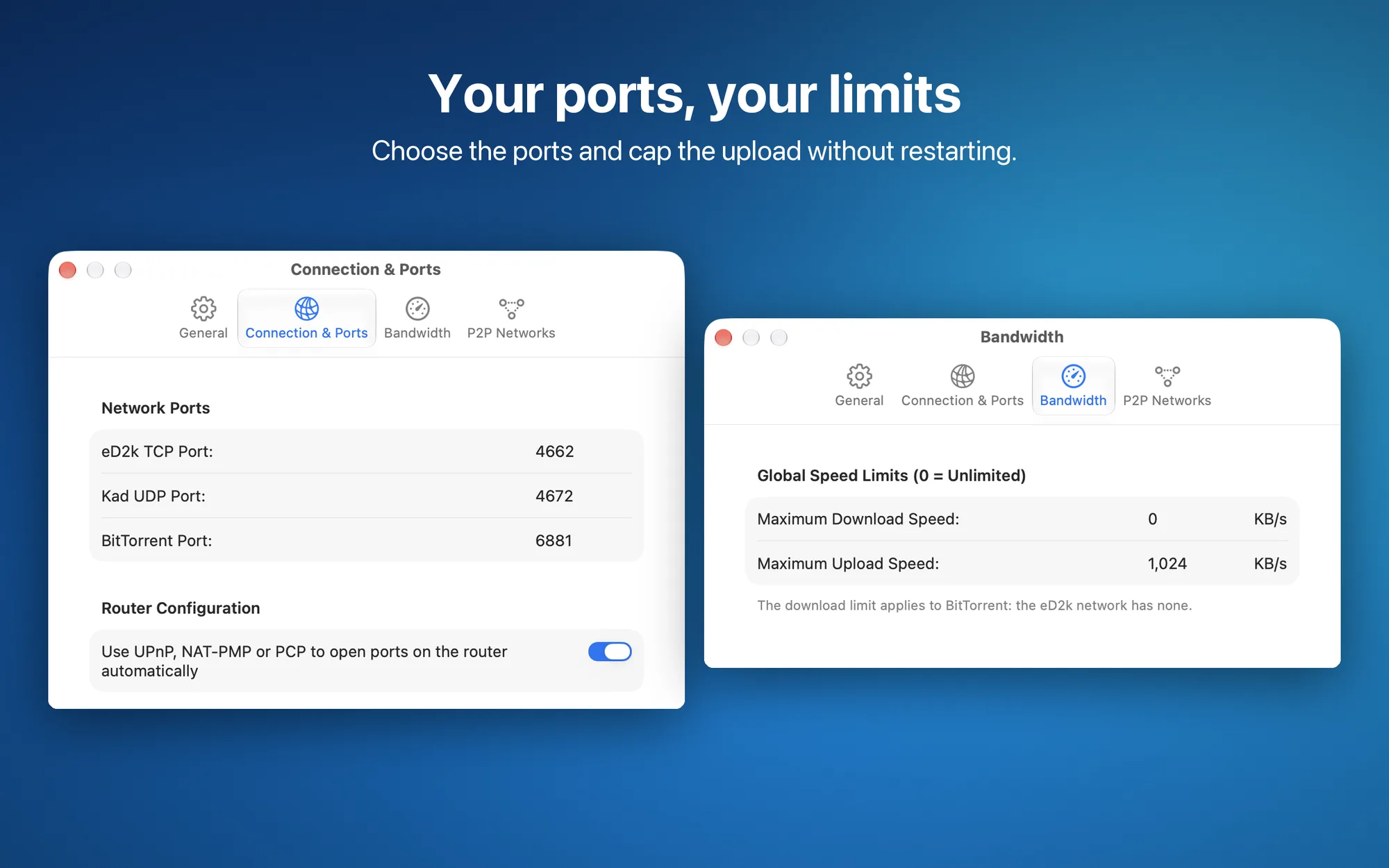
server.metfile; Kad status, node count, bootstrap from a known node or fromnodes.dat - Router ports: opened automatically with PCP, NAT-PMP or UPnP, with the state of each port and warnings for double NAT and CGNAT
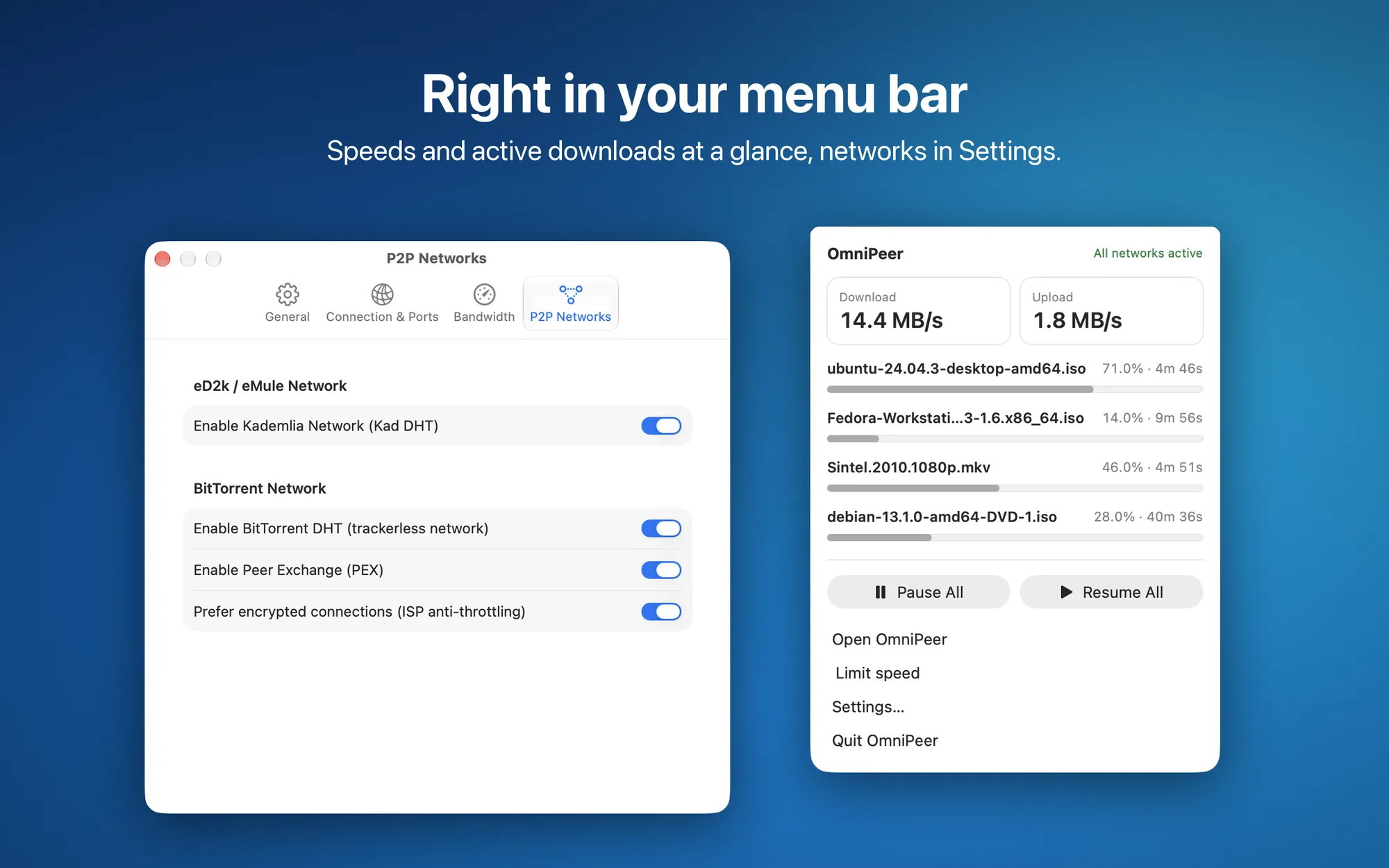
- Trackerless BitTorrent: DHT and peer exchange (PEX), encrypted connections
- Menu bar: speeds, active downloads, pause all and speed limits one click away
- Made for the Mac: a notification when a download finishes, no sleep while you download, light or dark theme, interface in English and Italian
- Private: no account and no data sent to the developer
- No subscription: free, with no ads and no in-app purchases
Like every P2P client, OmniPeer shares the parts of the files you download with other peers: use it only for content you have the right to download and share.
Platforms
Mac with Apple silicon and macOS 14 Sonoma or later; it does not run on Intel Macs. OmniPeer is not on the Mac App Store: download it as a disk image (DMG) signed with Developer ID and notarized by Apple from the releases page on GitHub.