What is Excubia?
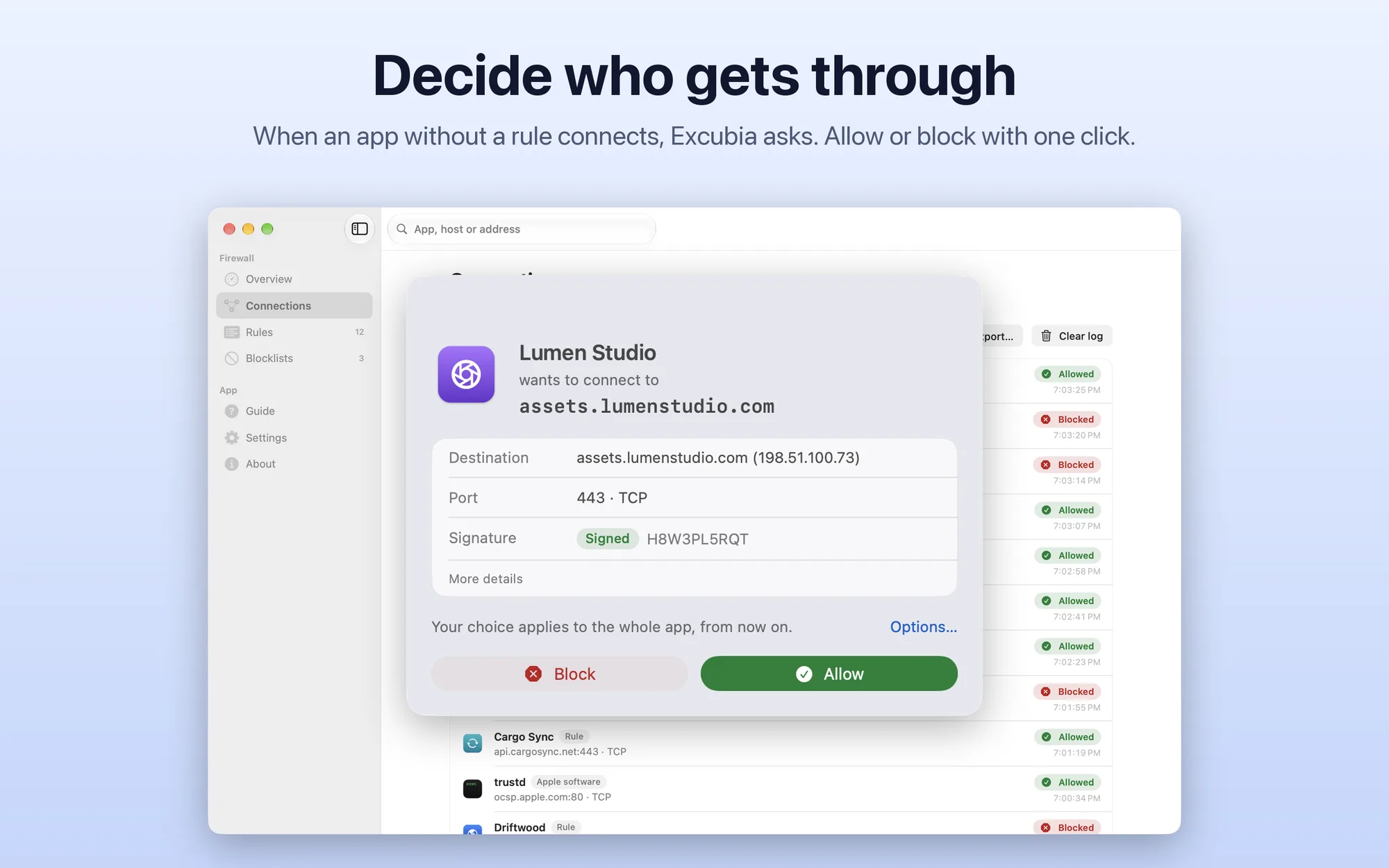
Excubia is an app firewall for your Mac: it sees every new connection before it leaves and, if the app doesn’t have a rule yet, holds it and asks whether to let it through. The work is done by a macOS network filter, installed as a system extension, which only decides whether to allow or block: it doesn’t read the content of connections. The name comes from the Latin excubiae, the watches kept by sentries.
Key Features
- Clear alerts: the app, the destination by name, the port and the app’s signature; allow or block with one click, or choose scope (that host, host and port, everything) and duration (once, until the app quits, for an hour, forever)
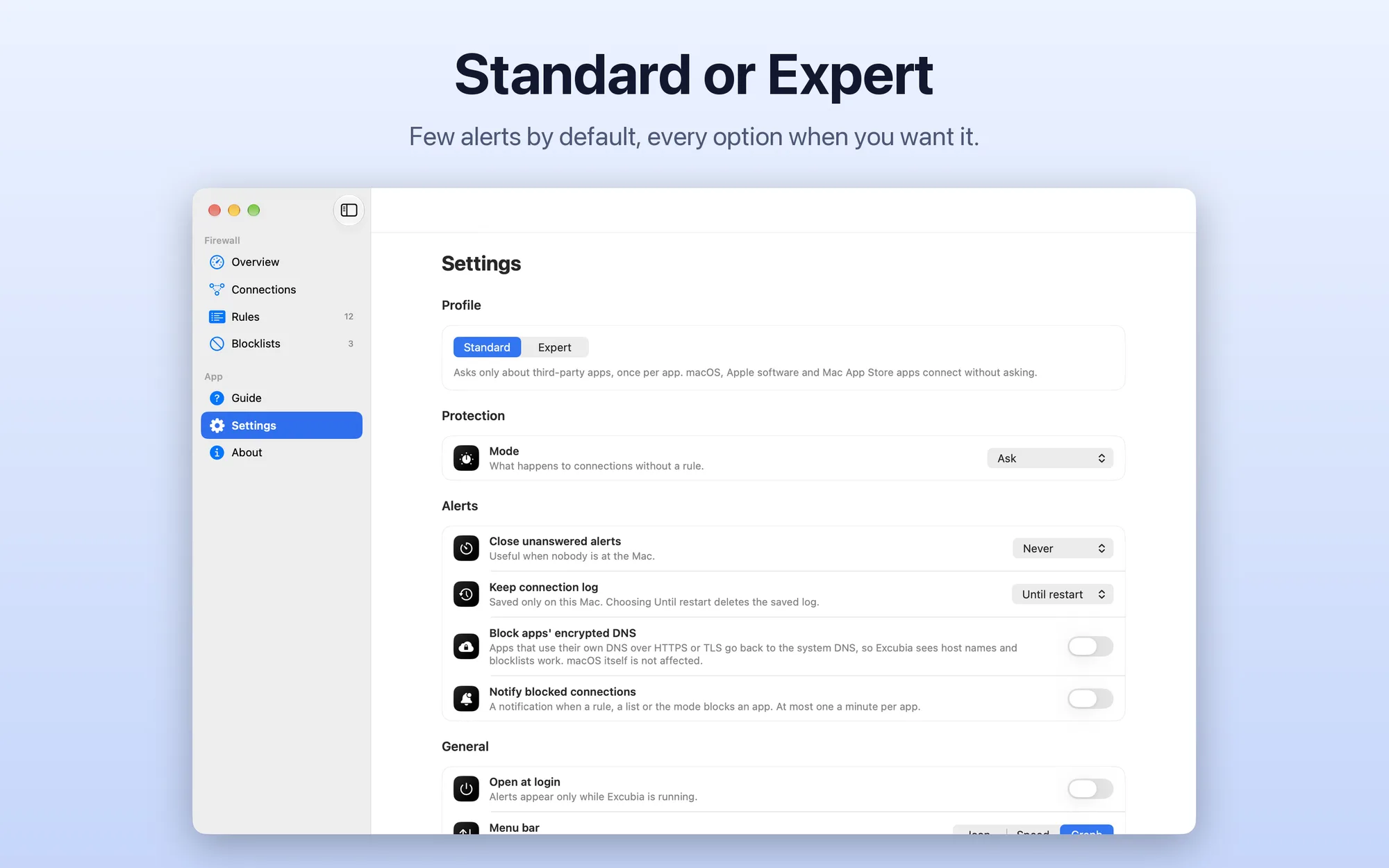
- Two profiles: Standard asks only about third-party apps, once per app, and lets macOS, Apple software and Mac App Store apps through; Expert alerts per host and per helper process and, if you like, for incoming connections too
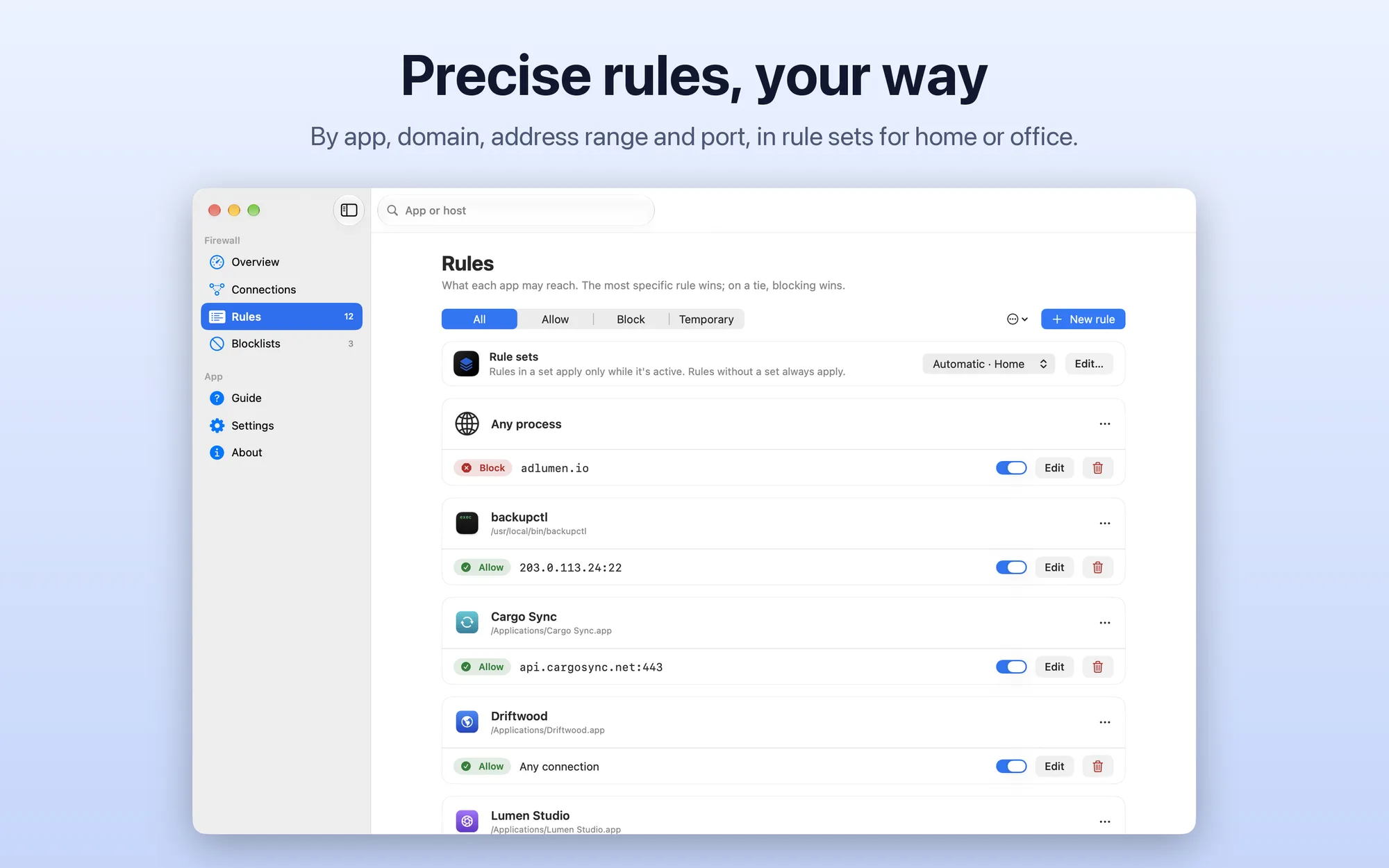
- Precise rules: by app, domain (subdomains included), name with
*, address or address range, local network and port; the most specific rule wins and, on a tie, blocking wins - Signature checks: a rule only applies to code signed by the same developer; if an app’s signature changes, Excubia tells you
- Rule sets: Home, Office or your own, picked by hand or switched automatically by network and time of day
- Modes: Ask, Allow silently, Block silently and Block everything, also for a set time
- Learning: for a few days apps connect without alerts, then you review one rule per app in one go
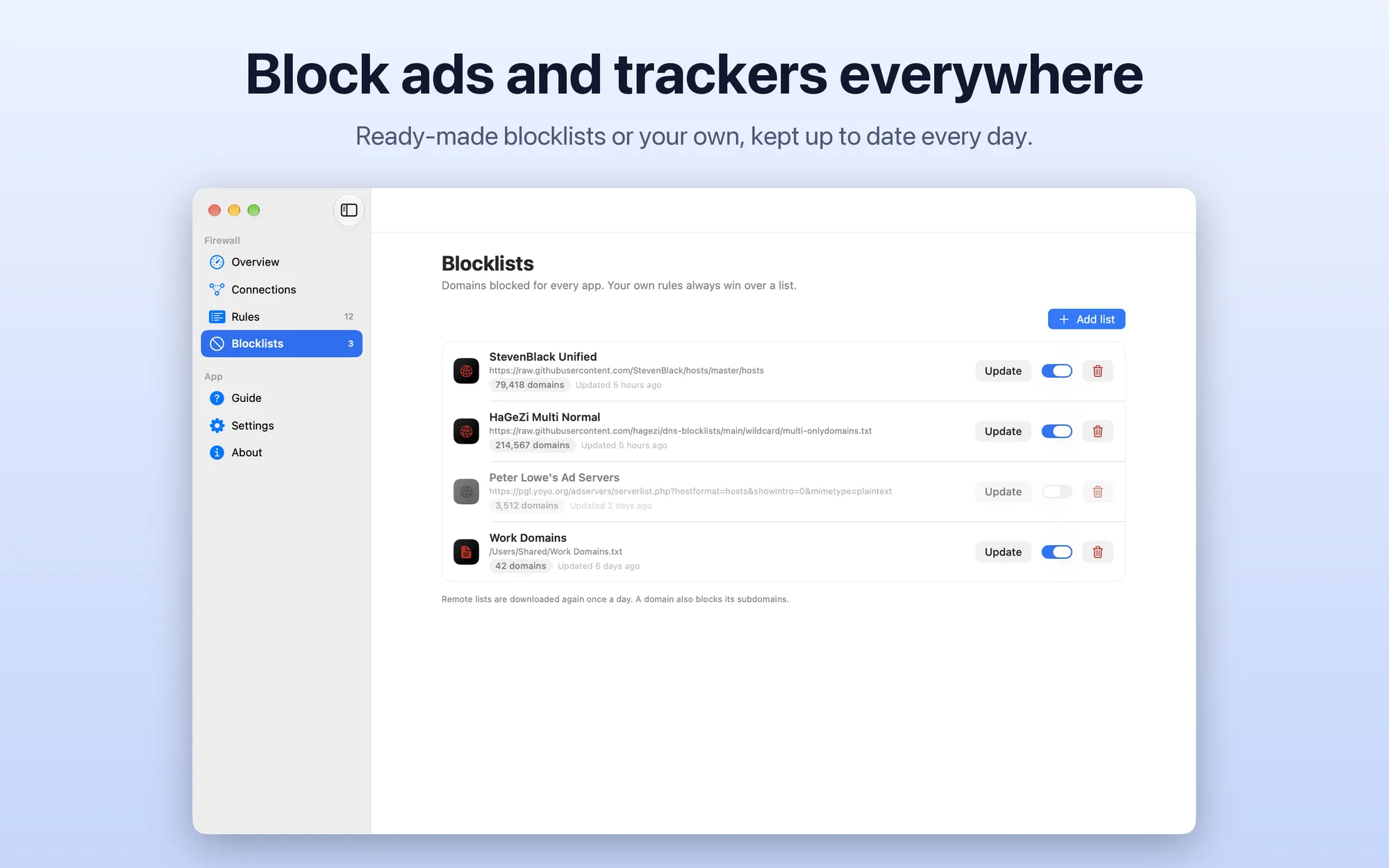
- Blocklists: ads, tracking and malware stopped in every app with hosts files, domain lists or simple AdBlock rules, updated daily; the log shows which list blocked a connection and one click unblocks the domain
- Encrypted DNS: apps that use their own DNS over HTTPS or TLS can be sent back to the system DNS, so blocklists work
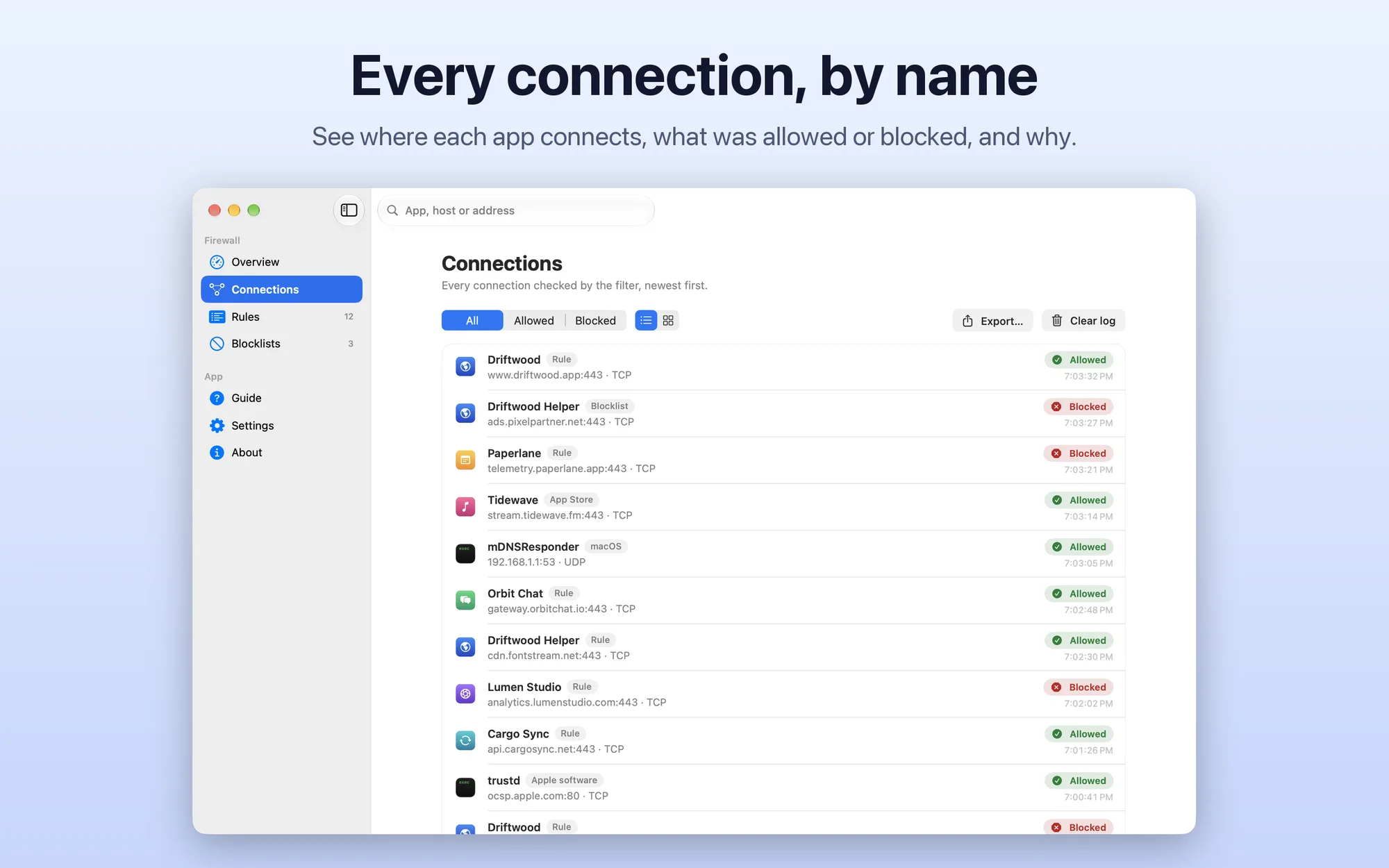
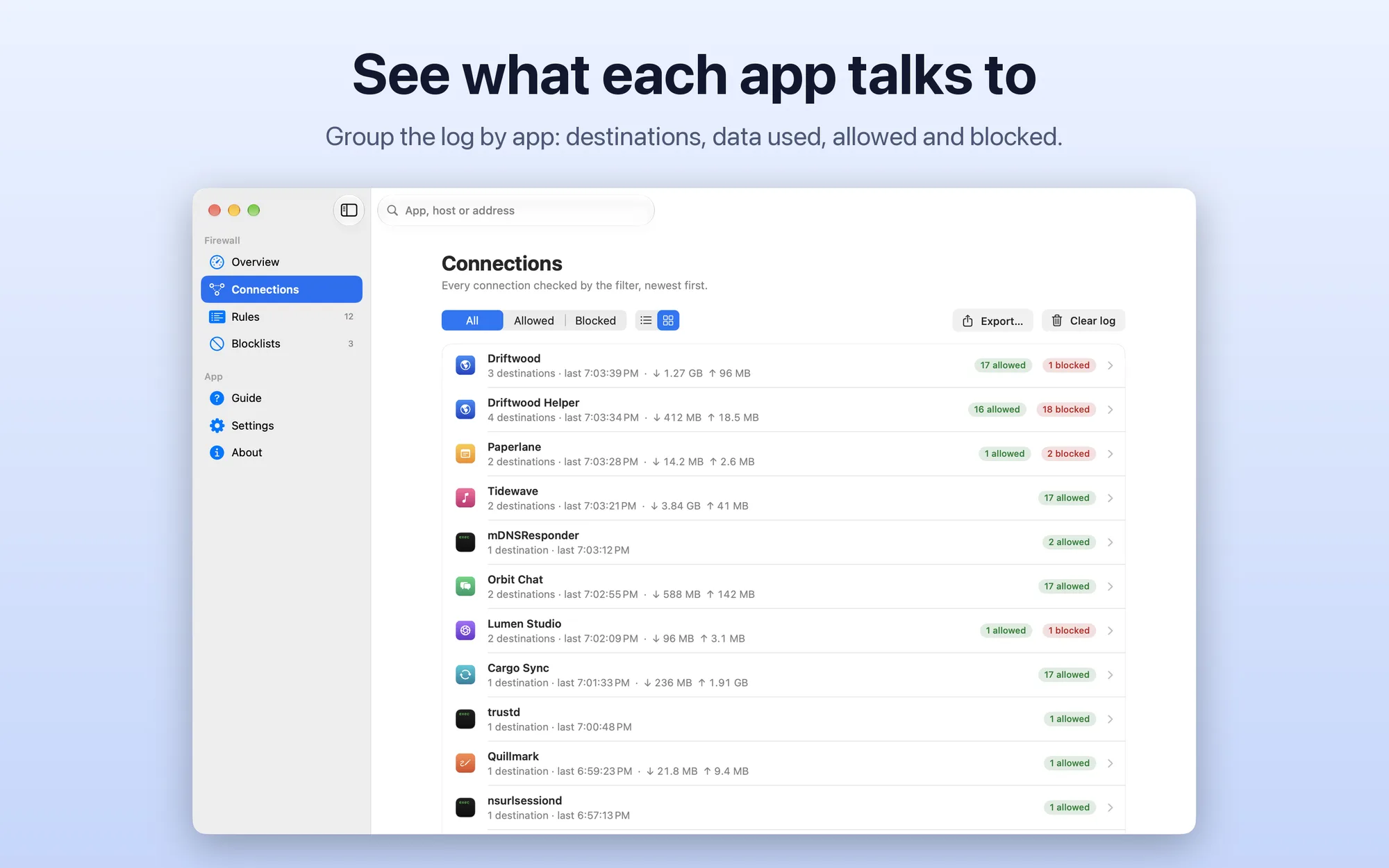
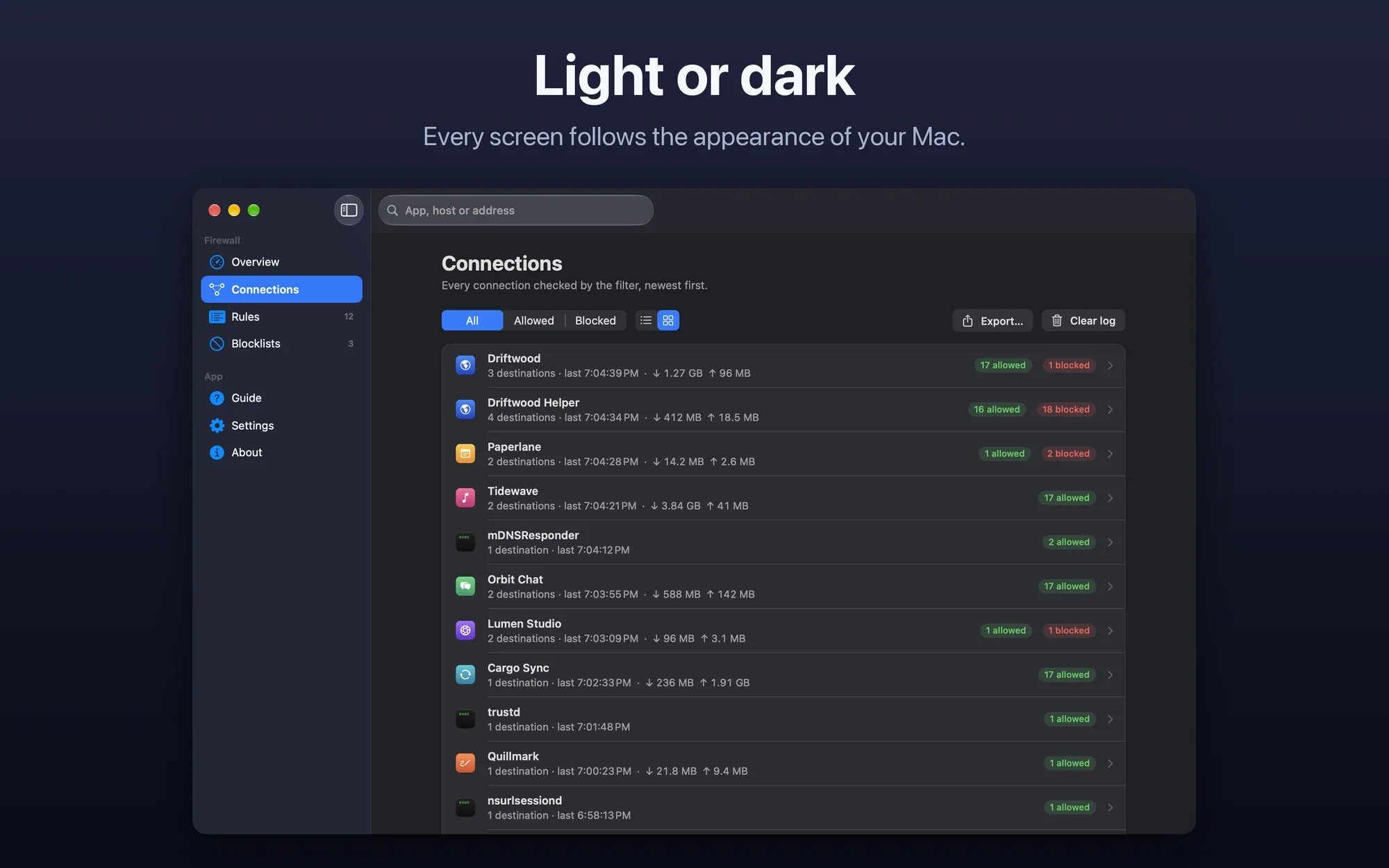
- Connection log: as a list or by app, with the reason for every decision; in memory or kept for up to 30 days, with CSV export
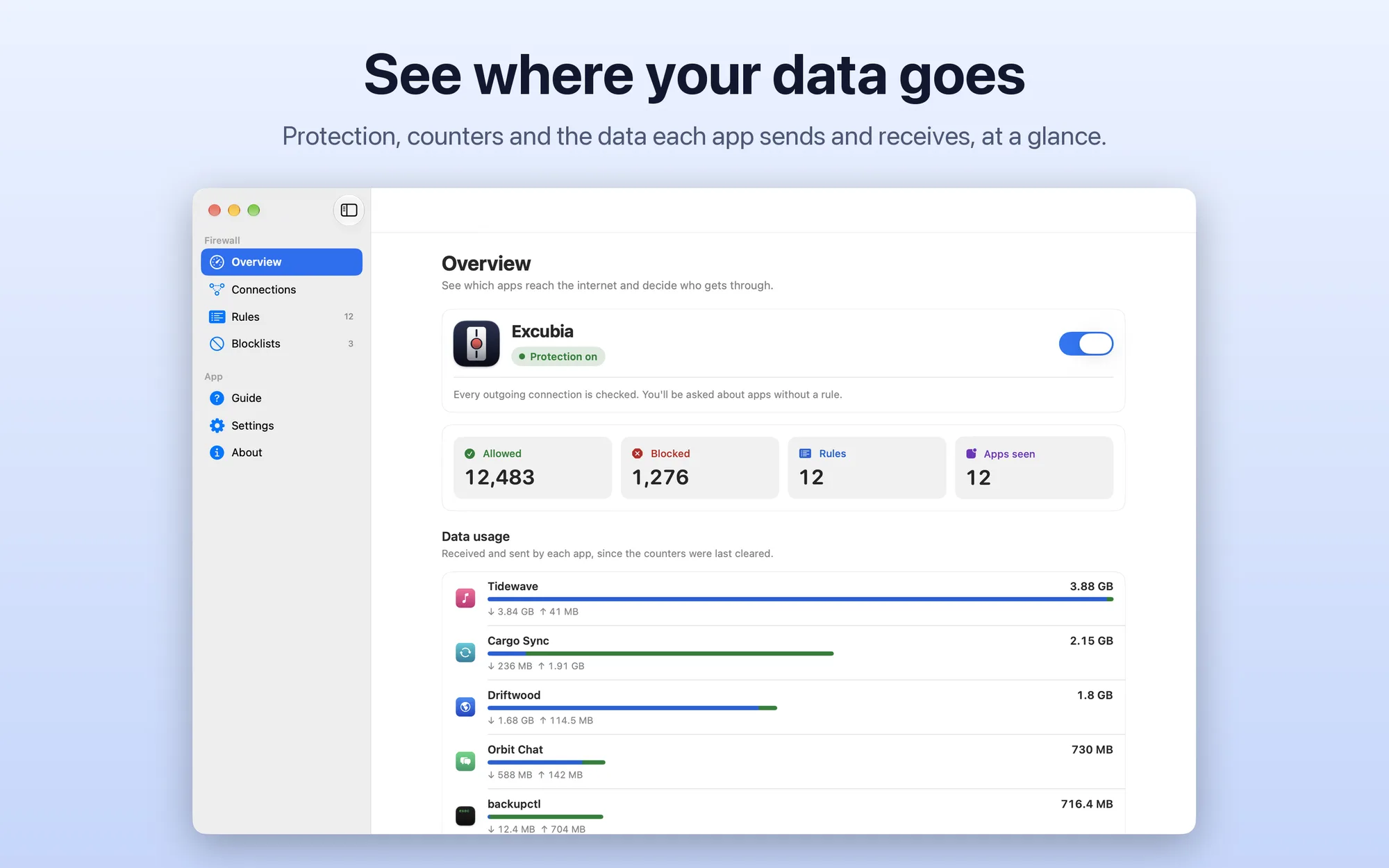
- Data usage: received and sent by each app, with the heaviest ones in the overview
- Rule backups: automatic backups you can restore, JSON export and import, usage counts for every rule and a suggestion to remove those unused for 90 days
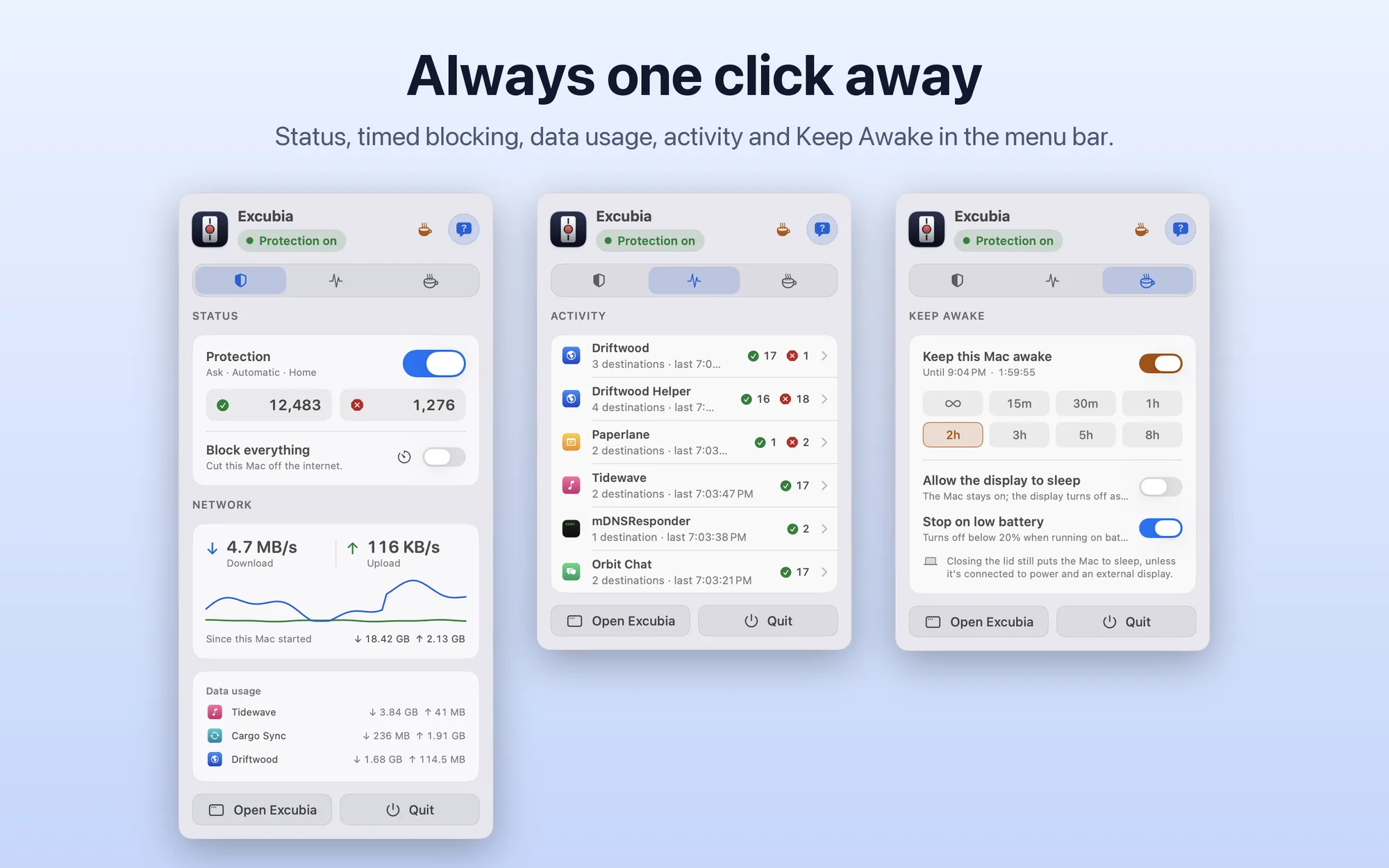
- Menu bar: status, mode, timed blocking, activity, network speed and data usage; optionally, the speed as numbers or a graph instead of the icon
- Keep Awake: from the panel, keep your Mac awake from 15 minutes to 8 hours or with no limit, with or without the display; on battery it stops below 20%
- Shortcuts, Siri and Focus: change mode, block everything for a while or activate a rule set; each Focus can have its own mode
- Widget and notifications: status, blocks and top apps on your desktop; optional notifications for blocked connections
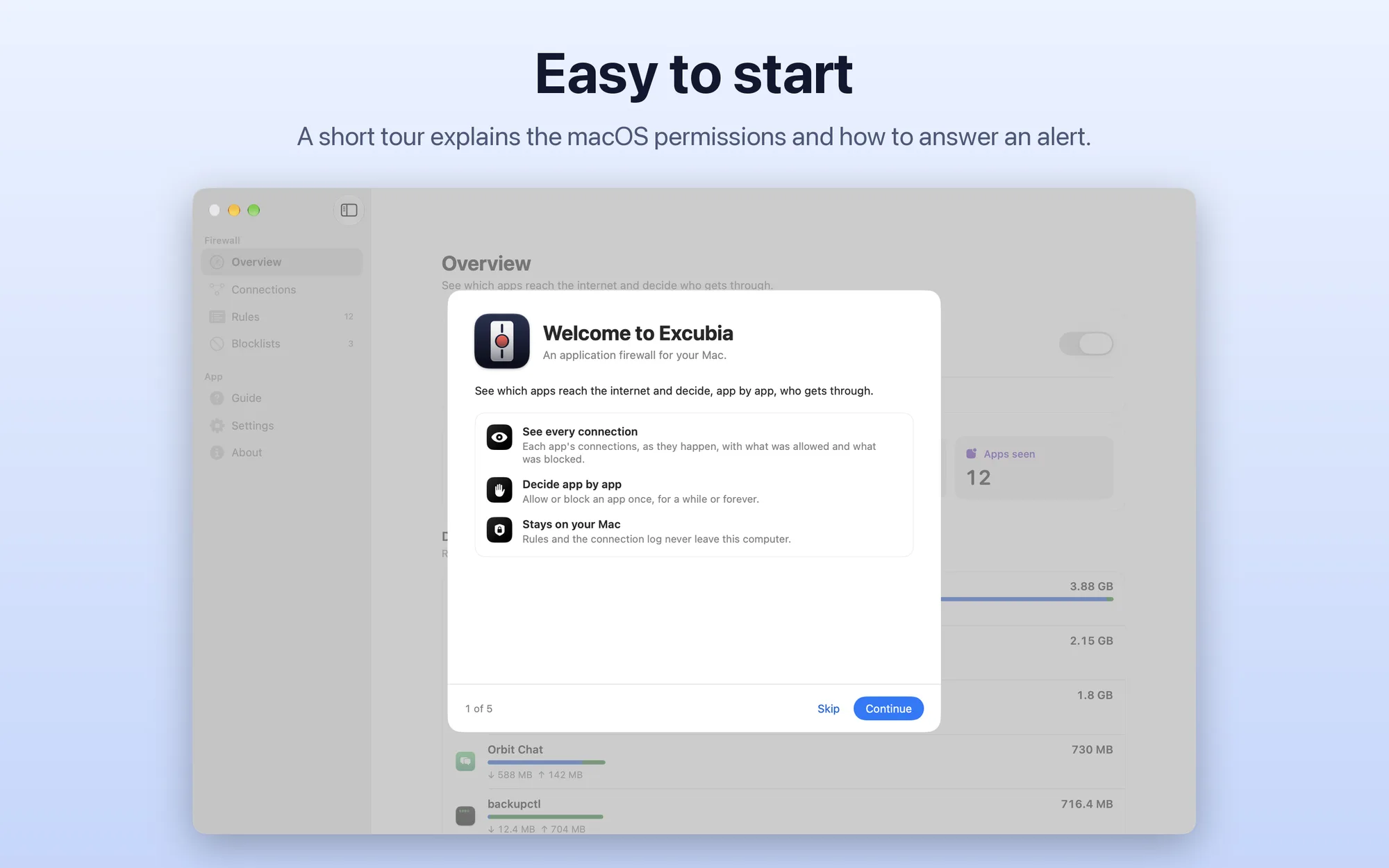
- Easy to start: a first-launch tour explains the macOS permissions and how to answer an alert
- Private: no account, no data collection; rules and the log stay on your Mac
- No subscription: free, with no ads and no in-app purchases
Platforms
Mac with Apple silicon and macOS 15 Sequoia or later; it doesn’t run on Intel Macs. Interface in English and Italian, with light and dark appearance. Excubia is coming soon to the Mac App Store.